
Have you ever received a text message claiming you have an unpaid road toll? Perhaps it says you owe a small amount and must pay immediately to avoid a hefty fine, additional charges or even legal action.
If you have, you’re not alone. Fake unpaid toll notifications have become a common phishing tactic, with scammers impersonating toll road operators, transport authorities and government agencies in different parts of the world.
The messages can look surprisingly convincing. They may use official-looking logos, familiar company names and links to websites that closely resemble genuine payment portals. Some even include a specific toll amount or a threatening deadline to make you act without thinking.
But there’s a catch. The supposed unpaid toll doesn’t exist. The message is designed to trick you into visiting a fake payment website and handing over your credit card details, personal information or banking credentials.
So, how can you tell whether an unpaid toll notification is genuine or a scam? And what should you do if you’ve already clicked the link?
Let’s take a closer look.
Quick answer: If a text about unpaid tolls arrives out of the blue and asks you to pay through a link, treat it as a scam. Don’t click. Check your toll account through the official website or app instead.
1. What Is the Unpaid Toll Scam?
An unpaid toll scam is a type of phishing attack in which criminals send fake text messages, emails or messaging-app notifications claiming that you owe money for using a toll road.
Why it works: The scammers change the name to match where you live.
The FCC says imposters use names like E-ZPass, FasTrak and I-PASS, and the sender’s number can be faked to look like it’s from the toll company.
In the UK, scammers copy government names. The Department for Transport has warned about fake texts asking people to pay fines. Sample Toll Road Scam Text +2
Here are three examples. These are made up, but they follow the usual pattern:
- US: FasTrak: We’ve noticed an unpaid toll on your account. Pay today to avoid a $50 late fee.
- Australia: Linkt: Your toll account is overdue. Pay now to avoid a penalty.
- UK: “Your vehicle has an unpaid crossing charge. Pay within 24 hours to avoid a fine.
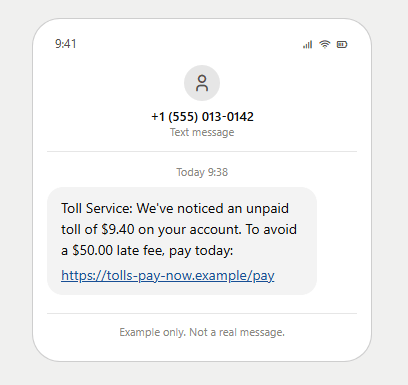
This kind of scam has a name: smishing. It’s just phishing by text message.
2. Why the Unpaid Toll Text Scam Keeps Working
The problem: Even careful people feel a flicker of doubt. “Did I forget something?”
Why it works: The scammers don’t need to know whether you drove through a toll. They send thousands of texts and wait for the few people who did. The amount is small, so paying feels easier than arguing.
The FBI described this pattern early on. It received over 2,000 complaints from at least three states in the first weeks of the campaign, with near-identical texts, a link made to copy the state’s toll service name, and phone numbers that changed between states. That was in 2024, and the scam is still going.
Australia has seen it for years. Scamwatch received more than 14,500 road toll scam reports in 2022. yahoo
The fix: Learn the red flags in the next section.
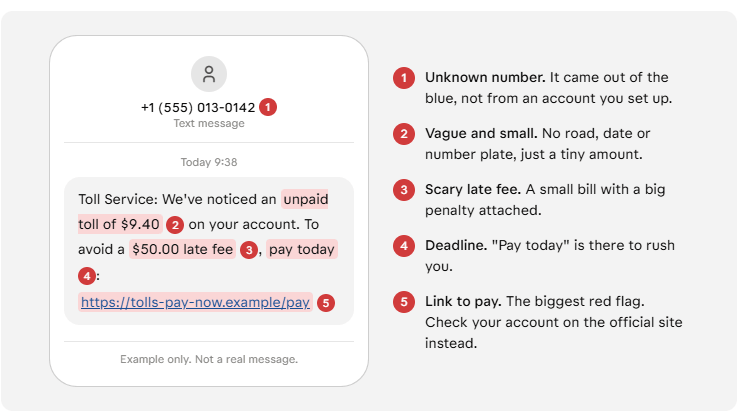
3. Six Red Flags of an Unpaid Toll Scam
- It comes out of the blue. You didn’t get a warning, an invoice or an account notice first.
- There’s a link to pay. This is the biggest one. Scammers want you on their fake page.
- There’s a deadline. “Pay today” or “within 24 hours” is meant to rush you.
- A small bill comes with a big penalty. A tiny toll plus a scary late fee is a favourite combination.
- It’s vague. No road, no date, no number plate. A real notice lets you find the trip in your account.
- The page asks for card or personal details. If you reached it through the text, close it.
One more thing. Whether you’ve driven on a toll road lately isn’t proof either way. Real tolls do exist, which is why checking matters more than guessing.
4. The Official Advice, Made Simple
The FBI, FTC, ACMA and Ofcom all say much the same thing. Here it is in three steps.
Step 1: Stop.
Don’t click the link. Don’t call a number in the message. In the UK, Ofcom also says not to reply, even to opt out, because replying tells the sender your number is active. ofcom
Step 2: Check.
Go to the toll operator yourself, using a website or app you already trust.
The FTC says to contact the state’s tolling agency using a phone number or website you know is real, not details from the text. The FBI gives the same advice and adds to contact the toll service’s customer service and delete the text. militaryconsumeryahoo
Step 3: Report.
Reporting helps the authorities and your phone company block the scammers. The next sections show where to send it in each country.
5. How to Check If You Really Owe a Toll
In the US
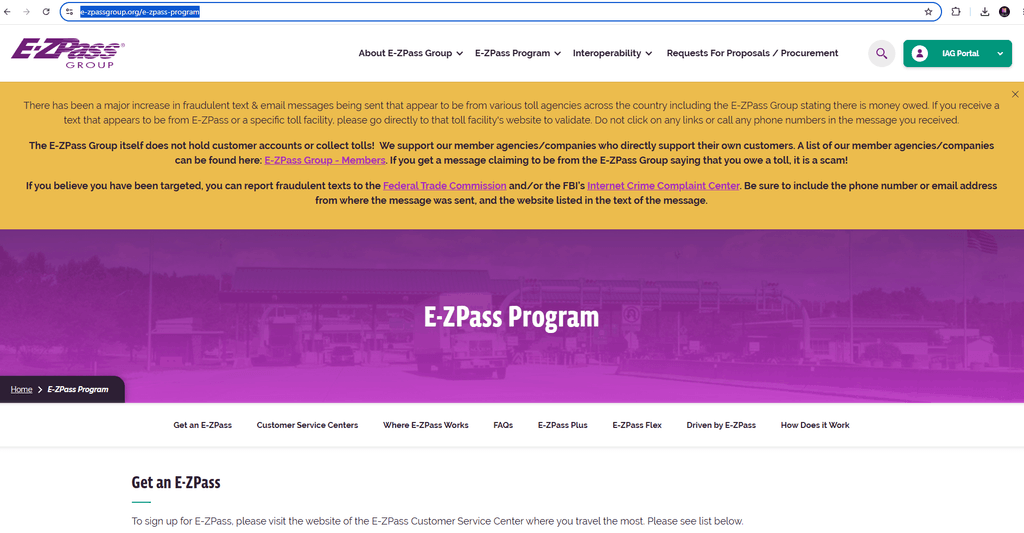
Search for your state’s toll agency (or your transponder company, like E-ZPass or SunPass) and log in on its official site. Don’t use a link from the text. If you’d rather talk to someone, call the number on that official site.
In Australia
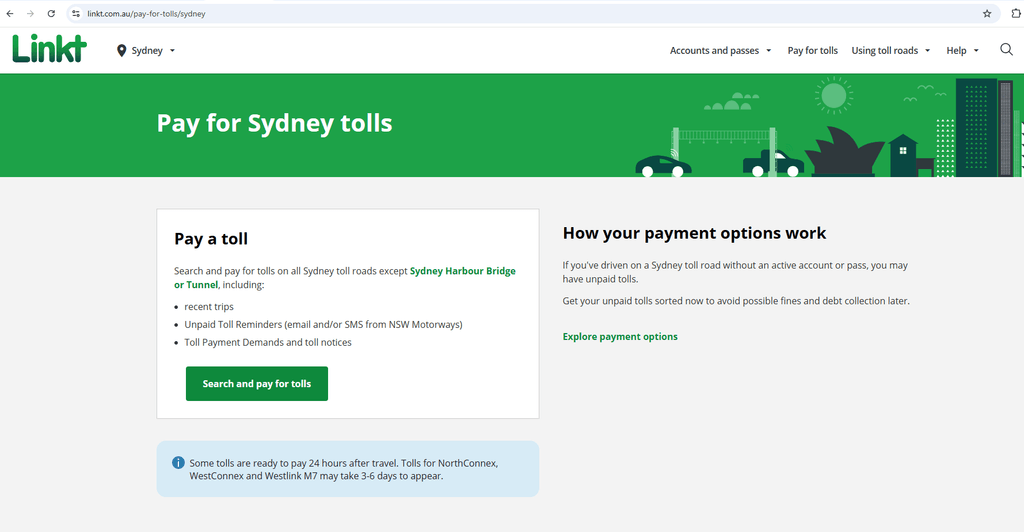
Scamwatch says to search your registration plate number on the toll road company’s website, or log in the usual way. Linkt says that if your plate is on your account, any unpaid toll invoices will show when you log in. Linkt also keeps a list of current scams. If you use a different toll operator, follow the same method on its own website. linkt
In the UK
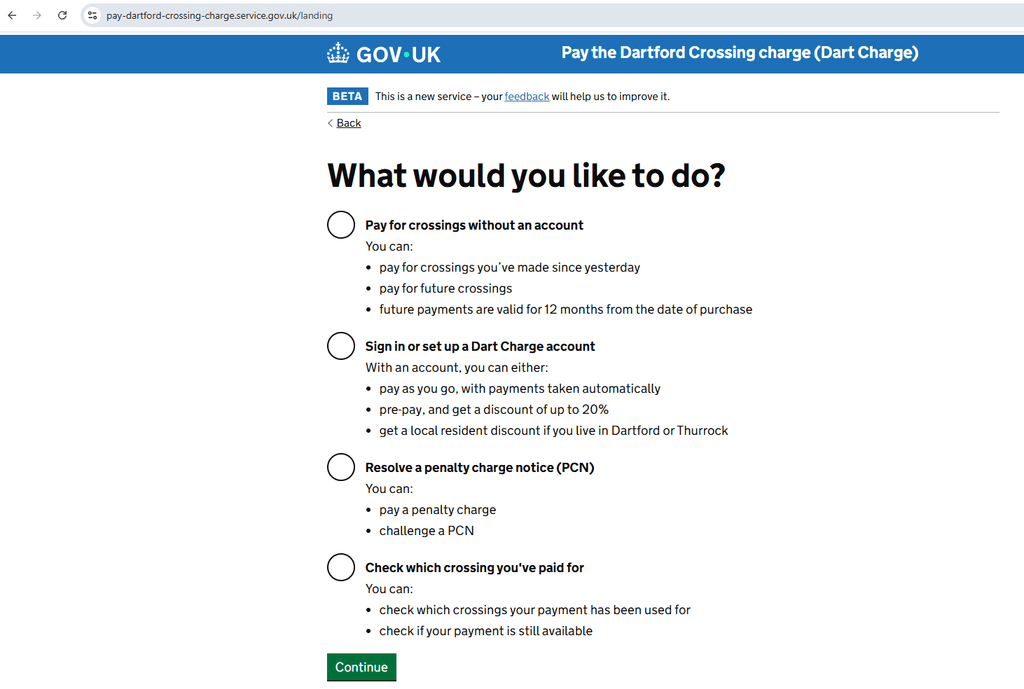
For the Dartford Crossing, use the official GOV.UK service. The charge is due by midnight the day after you cross. gov.uk
Beware of copycat payment sites. National Trading Standards warns that these sites charge inflated fees and tells drivers to use the official GOV.UK site. Other crossings and charge zones have their own operators, so go through the operator’s official site and don’t pay on a site a text sent you to. nationaltradingstandards
6. What If You’ve Already Clicked the Link or Paid?
First, don’t feel embarrassed. These messages are designed to look genuine, and even careful people can be caught out.
What you should do next depends on what information you shared.
If you clicked the link but didn’t enter anything
Simply opening a suspicious website doesn’t necessarily mean your information or device has been compromised.
However, take these precautions:
- Close the website.
- Don’t download files or install applications.
- Don’t enter any personal information.
- Keep your device and browser updated.
- Watch for unusual activity on your accounts.
If you only tapped the link, read what to do if you clicked a phishing link. In the UK, Ofcom says to contact your mobile provider straight away and report the text to 7726 and Report Fraud. ofcom
If you entered your credit or debit card details
Contact your bank or card provider immediately.
Explain that you entered your details on a suspected fraudulent website.
Ask the bank to block or replace your card if necessary and check for unauthorised transactions.
If you notice suspicious charges, report them immediately and ask about disputing the transactions.
If you shared your online banking details
Contact your bank using its official phone number or app.
Change your banking password and any other passwords that may have been compromised. Enable additional account security where available. Here’s how to create a strong password you can actually remember.
If you shared a one-time password or verification code, tell your bank immediately.
If you shared personal information
If you provided your driver’s licence details, address, date of birth or other personal information, be alert to possible identity theft.
Contact the relevant identity protection or fraud reporting service in your country. See our identity theft recovery guide and credit freeze walkthrough. In Australia, IDCARE offers free support.
Be particularly cautious of follow-up calls, emails or messages claiming to help recover your money. Scammers sometimes target people again after they have fallen victim to an earlier scam.
Want to see how safe your everyday habits really are? Take our free 2-minute Digital Safety Quiz.
7. Where to Report the Unpaid Toll Scam Text
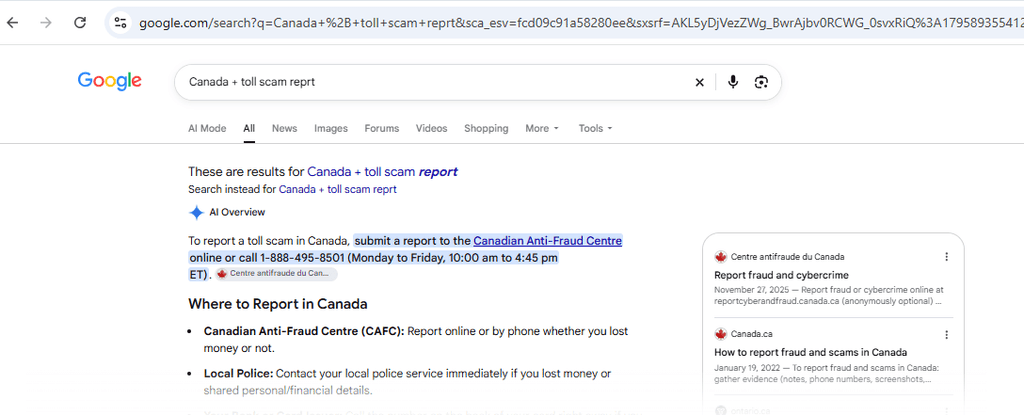
Reporting takes about a minute. The FTC asks you to forward text scams to 7726 (SPAM) and report them at ReportFraud.ftc.gov. The FBI asks you to file a complaint with the IC3, including the number the text came from and the website in the message. ftcyahoo
| Country | Forward the text | Report the scam |
|---|---|---|
| US | 7726 (SPAM) | ReportFraud.ftc.gov, ic3.gov, and the FCC if you like |
| Australia | Report to the toll operator (e.g. Linkt) | Scamwatch |
| UK | 7726 (free) | Report Fraud or 0300 123 2040 (Police Scotland on 101) |
Reading from another country? Search for your country’s name plus “report scam text” or “report fraud,” then choose the result from your government’s official consumer protection or police website. Report the toll text there, and check your toll account through the operator’s own website, not the link in the message.
For example:
8. How to Protect Yourself From Unpaid Toll Scams
A little caution can go a long way in protecting your money and personal information.
Here are some simple habits worth adopting.
- Never rush into a payment. Scammers want you to panic. Take time to verify the notice.
- Use official websites and apps. Bookmark your toll operator’s genuine website rather than relying on links in messages.
- Check website addresses carefully. Look for misspellings, unusual domain names and unexpected website extensions.
- Don’t share sensitive information. Never provide banking passwords, PINs or one-time verification codes through unsolicited links.
- Keep your toll account updated. Check that your vehicle registration, contact details and payment information are correct.
- Enable banking alerts. Transaction notifications can help you identify suspicious payments quickly.
- Be cautious with unexpected messages. Even if a message uses a familiar company name or logo, verify it independently.
- Talk to family and friends. Older people, new drivers and those unfamiliar with electronic toll systems may be particularly vulnerable to these scams.
Most importantly, remember that you don’t need to use a payment link in an unexpected text to find out whether you owe a toll.
FAQ About Unpaid Toll Scams
Is the unpaid toll text a scam?
Many unexpected messages claiming that you owe an unpaid toll are phishing attempts. Scammers impersonate toll operators and direct people to fake payment websites. However, some toll operators do send genuine payment reminders. Always check your account through the operator’s official website or app before paying.
Why am I receiving unpaid toll texts when I haven’t used a toll road?
Scammers often send messages to random phone numbers, hoping that recipients will believe the claims. You don’t need to have used a toll road to receive one. If you haven’t travelled on the road mentioned, don’t click the link. Verify any outstanding balance independently via official website.
Do unpaid tolls text you?
Official guidance says to treat a surprise text demanding payment through a link as a scam. Some operators may send account notices, so always log in on the official site instead of using the link.
What happens if I ignore an unpaid toll scam message?
If the message is fraudulent, ignoring the link and checking independently is the right approach. However, don’t ignore a genuine toll obligation. Check directly with the relevant toll operator to make sure there isn’t an actual outstanding payment.
Can you go to jail for not paying tolls?
Rules vary by place, so ask the toll agency directly. What you can count on is that a text threatening legal action and demanding payment through a link is a red flag.
One more time: The unpaid toll scam depends on one thing: getting you to tap before you think. A real toll will still be there after a two-minute check. A fake one usually won’t survive it.