
If you’re here because something feels off maybe someone seems to know where you’ve been, your location suddenly showed up somewhere you didn’t expect or you noticed something strange on your phone, don’t panic.
And before you start deleting apps or changing settings, there’s one important thing to know:
If you think someone you know may be deliberately tracking you, don’t immediately remove anything you find.
We’ll come back to that in a moment.
For everyone else, let’s start with the simplest question: Is someone tracking my phone?
Disclosure: Some of the links on this page are affiliate links. This means that if you click through and make a purchase, we may earn a small commission — at no extra cost to you. We only recommend products, tools, and services that we believe provide real value for online safety, privacy, and identity protection.
As an Amazon Associate, we earn from qualifying purchases.
Read This Before You Check Anything
If you suspect a partner, ex, family member, or someone else with access to your phone has installed tracking software, don’t remove it the moment you find it.
That might sound strange, but there’s a reason.
Removing monitoring software or changing account access can sometimes alert the person who set it up. If you’re worried that doing this could put you at risk, it’s safer to get advice first and, where possible, use a different device that the other person can’t access.
If you’re in immediate danger, contact your local emergency service.
If none of that applies to you and you’re simply wondering, “Is someone tracking my phone?”, keep reading.
The Honest First Answer: It’s Probably Not Spyware
Before assuming the worst, it helps to know the actual odds.
In most cases, someone “tracking” a phone isn’t running secret spyware at all. It’s one of two much more ordinary things:
Physical access. Someone who’s held your unlocked phone for even a minute can turn on location sharing, check Find My iPhone/Find My Device, or glance at your messages directly. No app required.
A compromised or shared account. If someone knows your Apple ID or Google account password or you’re still signed into a shared family account, they can see your location and device activity without installing anything on your phone at all.
Actual spyware (sometimes called stalkerware when used to monitor a partner) is real and does happen, but it’s the less common of the three. Worth ruling out the first two before assuming the third.
how can i tell if someone is tracking my phone
A few of these together is a stronger signal and worth investigating.
On iPhone, watch for:
- An orange or green dot in the status bar when you’re not using your camera or microphone. This means something is actively accessing one of them
- Your battery draining noticeably faster than usual
- The phone getting warm while just sitting idle
- A spike in data usage you can’t explain
On both iPhone and Android:
- The phone feels slower than usual or apps take longer to open
- Unfamiliar apps you don’t remember installing
- Login alerts or activity notifications from accounts you didn’t access
- Your phone taking longer to shut down or restart than normal. Spyware running in the background can occasionally cause this.
Can Someone Track My Phone If Location Services Are Off?
Turning off Location Services stops most apps from pulling your GPS location. But it doesn’t block every method.
Apple says that turning off Location Services stops apps from using your location. But location sharing can also be controlled separately through services such as Find My or Google Location Sharing.
For example, Google Location Sharing lets people you choose see your real-time location and, in some circumstances, recent location information.
So if you’re worried about being tracked, don’t just switch off Location Services and assume the problem is solved.
Check who has access to your location and which account is controlling that sharing.
How to Check on iPhone
If you have an iPhone, start with the things that are easiest to verify.
1. Check Safety Check
If your iPhone supports it, go to:
Settings > Privacy & Security > Safety Check
This can help you review who and what has access to information on your phone and make changes to sharing and account access.
2. Check Find My
Open: Find My > People
Look at who you’re currently sharing your location with.
Then check: Find My > Devices
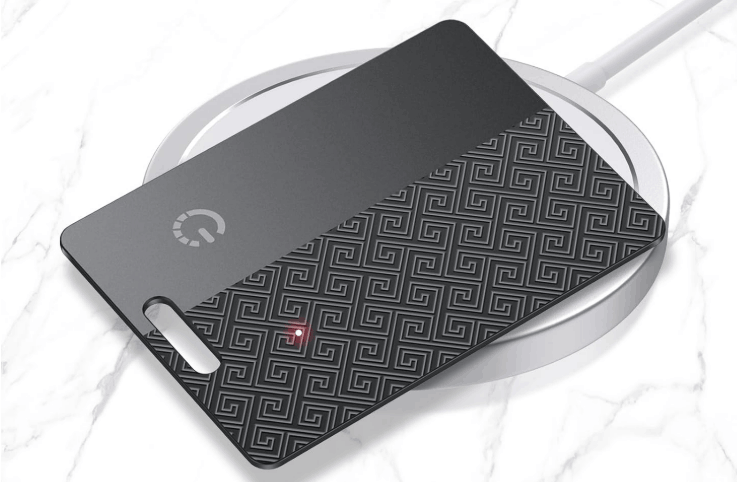
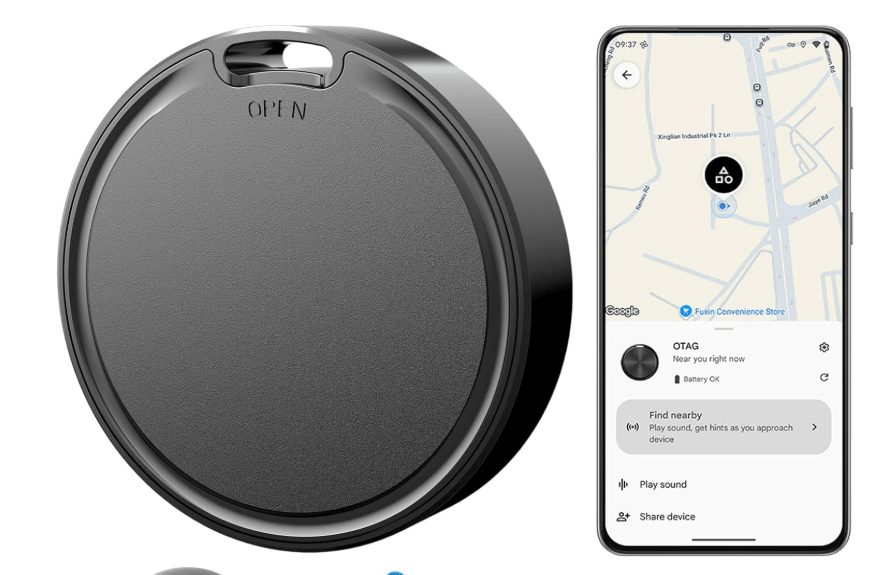
Review the devices and accessories connected to your account and look for anything you don’t recognise.
3. Check your Apple Account
Go to: Settings > [your name]
Review the devices connected to your Apple Account.
If you see a device you don’t recognise, investigate it before assuming it’s malicious. It could be an old device, a device you forgot about, or something that genuinely shouldn’t be there.
4. Check app permissions
Go to: Settings > Privacy & Security
You can review which apps have access to things such as:
- Location
- Microphone
- Camera
- Bluetooth
- Photos
- Contacts
Apple lets you change these permissions individually.
5. Check VPN & Device Management
Go to: Settings > General > VPN & Device Management
If you see a profile or management setting you don’t recognise, don’t automatically delete it.
Some devices have legitimate management profiles for example, a work or school device.
If it’s your personal phone and you don’t know why a profile is there, that’s something worth investigating.
How to Check on Android
Android menus can look different depending on your phone manufacturer and Android version, so don’t worry if your screen doesn’t match these instructions exactly.
1. Check which apps can use your location
Go to your phone’s: Settings > Location
Then look for the section showing which apps have location permission.
On supported Android versions, you can see which apps are allowed to use your location and whether they can access it all the time or only while you’re using the app.
Pay particular attention to apps that have “Allow all the time” access when you don’t think they need it.
2. Check the Privacy Dashboard
On supported Android versions, open: Settings > Security & Privacy > Privacy Dashboard
This can show which apps have accessed permissions such as your location, camera and microphone.
If something looks unfamiliar, investigate the app before changing anything.
3. Check your Google Account
From a browser, open your Google Account and go to:
Security & sign-in > Your devices > Manage all devices
Google shows devices and sessions where your account is currently signed in or was recently used.
If you see something you don’t recognise, don’t assume it’s definitely an attacker. Google notes that multiple sessions can sometimes come from the same device.
But if you genuinely don’t recognise the device or activity, sign it out and secure your account.
4. Look through your installed apps
Open your full app list and look for anything you don’t recognise.
Don’t only look at the apps on your home screen.
If you find something unfamiliar, search for its name before deleting it. Some system and manufacturer apps have names you may not recognize but are completely legitimate.
What If You Actually Find Something Suspicious?
This is where the answer depends on what you found.
If it’s an account problem
For example, you discover an unfamiliar device signed into your Google or Apple Account.
Secure the account:
- Change the password
- Sign out unfamiliar devices
- Turn on two-factor authentication if it isn’t already enabled
- Review account recovery information
- Check whether location sharing is enabled
If it’s an unfamiliar app
First, find out what the app actually is.
If it’s clearly something you didn’t install and you’re not concerned about personal safety, you can remove it and then secure your important accounts.
But if you think someone you know deliberately installed monitoring software on your phone, go back to the safety advice at the beginning before removing it.
Your safety matters more than getting the app off the phone immediately.
What About a Factory Reset?
A factory reset can remove apps and settings from your phone, including unwanted apps.
But it’s a last resort, not the first thing I’d do.
You’ll lose your apps, settings and locally stored information, so make sure you know what you’re going to lose before resetting.
And there’s another important point:
A factory reset doesn’t automatically fix a compromised Apple or Google Account.
If someone has your account password, you need to secure the account as well.
Otherwise, you could reset the phone and still leave the door open through the account.
Frequently Asked Questions
Can someone track my phone without installing anything?
Someone may be able to see your location or other information through a shared or compromised Apple or Google Account, location-sharing settings, or access to another connected device.
They don’t necessarily need to install spyware on your phone.
Does turning off location services stop tracking completely?
No.
It stops apps from using your phone’s Location Services in the usual way, but account-level location sharing and other forms of access are separate issues.
If you’re concerned, check your location-sharing settings and account access as well.
Will a factory reset remove tracking software?
A factory reset removes apps and settings from the phone, so it can remove unwanted tracking software.
But it won’t solve a compromised Apple or Google Account by itself.
Secure the account as well.
Is it illegal for someone to track my phone without my permission?
It can be illegal, but the law depends on where you live, what type of tracking was used, and how it was done.
If you believe someone is deliberately monitoring you without your permission, consider getting advice from a local legal or domestic-violence support service rather than relying on a general internet answer.
If You’re Still Worried
Don’t start deleting everything on your phone just because one thing looks unusual.
Start with the basics:
Check your location sharing.
Check your Apple or Google Account.
Check your apps and permissions.
Then investigate anything that still doesn’t make sense.
And if this involves someone you know and you think changing something on your phone could put you at risk, pause before making changes and get safety advice first.
Once you’ve dealt with the immediate problem, it’s also worth reviewing your account security more broadly. Our guide on how to create a strong password you’ll actually remember is a good place to start.